
Plenty of brands publish good videos that never show up in search. The usual reason is not the video itself but where and how it is published: embedded halfway down a blog post, missing structured data, or hosted only on a platform that sends viewers away. Video SEO fixes that. It is the work of making videos easy for Google, YouTube and AI assistants to find, understand and show to the right people.
Video SEO is the practice of optimizing videos so they appear in Google Search, Google's Video mode, YouTube and AI answers. It covers choosing where each video is hosted, giving important videos a dedicated watch page, adding VideoObject structured data and a video sitemap, using a clear thumbnail, writing descriptive titles and descriptions, adding captions, transcripts and chapters, and measuring results in Search Console and YouTube Analytics.
This guide covers both sides of video SEO, your own website and YouTube, with the exact markup Google asks for and the rules that most guides skip.
Why Video SEO Matters
Video is where much of the audience already is. Pew Research Center's 2026 survey found that 84% of US adults use YouTube, more than any other platform it measured (Pew Research Center). Google also shows video results in its main results, in a dedicated Video mode and as "key moments" that jump to the right part of a video.
But appearing there is not automatic, and the rules changed in 2023. Understanding them first saves a lot of wasted effort.
The Rule That Changed Video SEO: Video Must Be the Main Content
In 2023 Google began showing video thumbnails in its main results only when the video is the main content of the page, and on December 4, 2023 it extended that rule to Video mode (Google Search Central Blog). Google describes a qualifying page as one where "the video is above the fold, it's prominent, and the main purpose of the page is to watch that video."
Google gave three examples of pages where video is supplementary and will not get video features:
- A blog post where the video complements the text rather than being the primary content.
- A product details page with a complementary video.
- A video category page that lists multiple videos of equal prominence.
Videos on those pages show as "No video indexed" in Search Console with the reason "Video is not the main content of the page." The page can still rank as a normal result; it just will not get a video thumbnail. Google's video SEO documentation calls a qualifying page a watch page: a page whose main purpose is to show a single video (Google video SEO best practices).
Decide Where Each Video Should Rank
Before optimizing anything, decide what each video is for. That decides where it should live.
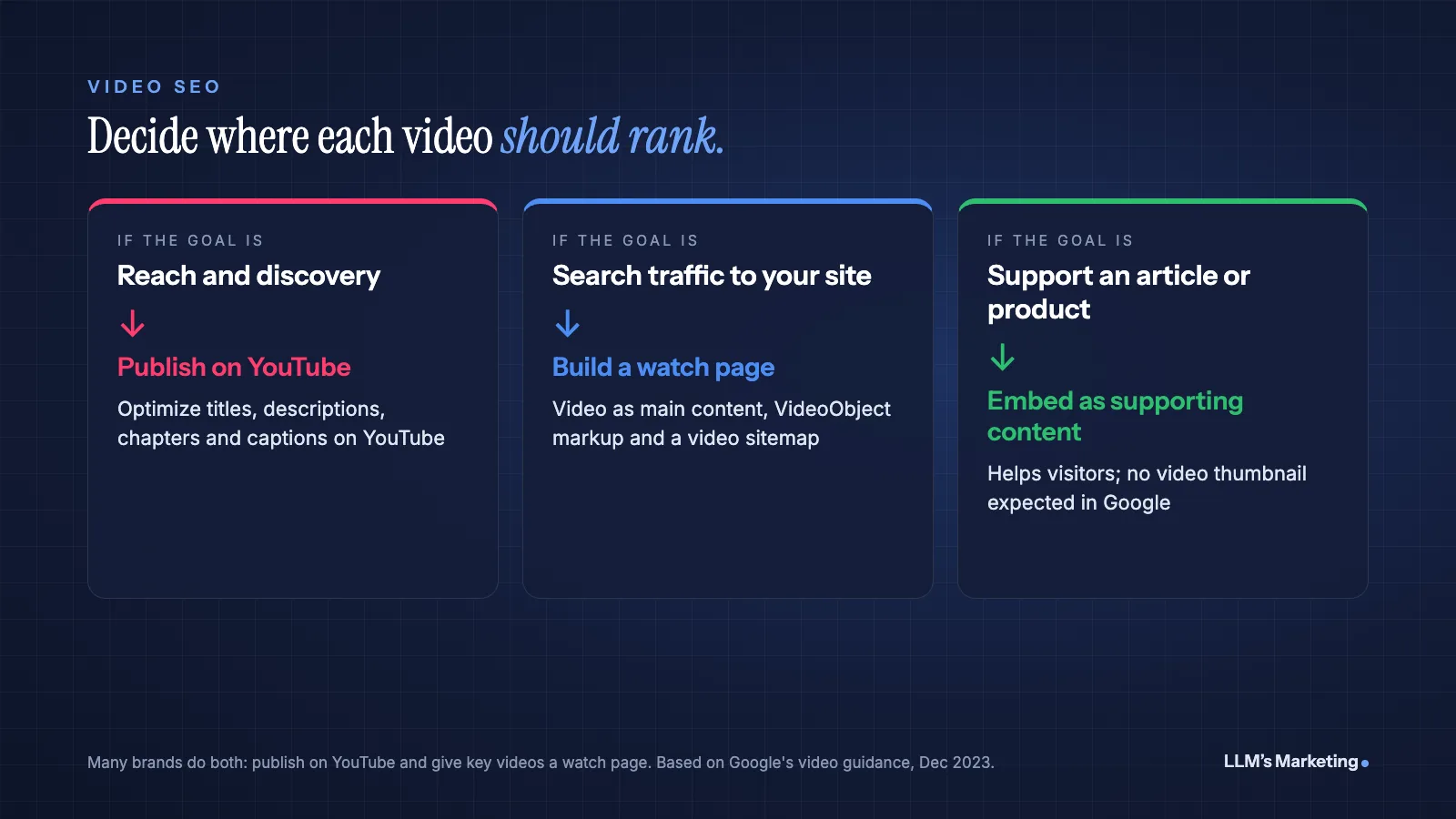
| Goal | Where to publish | What to expect |
|---|---|---|
| Reach and discovery | YouTube, optimized for YouTube search and suggestions | Views on YouTube; YouTube results in Google |
| Search traffic to your site | A dedicated watch page on your site, with markup and a sitemap | Eligible for video features in Google that link to your page |
| Supporting an article or product | Embedded in the article or product page | Helps visitors; the page ranks as a normal result without a video thumbnail |
Many brands combine them: publish on YouTube for reach, then embed the same video on a dedicated watch page for the topics where they want search traffic to their own site.
Make Videos Indexable on Your Own Site
Google's video documentation sets out the technical basics (Google):
- Embed the video on the watch page using a standard player, in a supported format such as MP4, WebM or MOV.
- Use a valid thumbnail at a stable URL. Google's minimum is 60x30 pixels, with larger preferred, and Googlebot must be able to fetch it.
- Keep URLs stable. Use one unique, stable thumbnail URL per video, and do not change video file URLs.
- Do not block the video file with robots.txt or noindex. Google needs to fetch it for previews and key moments.
Add VideoObject structured data
Structured data tells Google what the video is about. Google's video structured data documentation lists three required properties, name, thumbnailUrl and uploadDate, and recommends description, duration, contentUrl or embedUrl, and others (Google). A minimal example:
<script type="application/ld+json">
{
  "@context": "https://schema.org",
  "@type": "VideoObject",
  "name": "How to Replace a Furnace Filter",
  "description": "A step-by-step walkthrough of replacing a furnace filter, choosing the right size and setting a reminder.",
  "thumbnailUrl": "https://www.example.com/videos/furnace-filter-thumb.jpg",
  "uploadDate": "2026-10-15T08:00:00-05:00",
  "duration": "PT4M12S",
  "contentUrl": "https://www.example.com/videos/furnace-filter.mp4",
  "embedUrl": "https://www.example.com/embed/furnace-filter"
}
</script>
Give each video unique values that match the actual video. Durations use ISO 8601 format, so PT4M12S means 4 minutes and 12 seconds.
Mark key moments
Key moments let searchers jump to a specific part of a video. You can label them yourself with Clip markup nested under hasPart. Each clip needs a name, a startOffset in seconds and a url that links to that time; endOffset is recommended. Alternatively, SeekToAction tells Google how your URLs handle timestamps so it can identify key moments automatically.
"hasPart": [
  {
    "@type": "Clip",
    "name": "Find the filter size",
    "startOffset": 30,
    "endOffset": 95,
    "url": "https://www.example.com/videos/furnace-filter?t=30"
  },
  {
    "@type": "Clip",
    "name": "Remove and replace the filter",
    "startOffset": 96,
    "endOffset": 200,
    "url": "https://www.example.com/videos/furnace-filter?t=96"
  }
]
Submit a video sitemap
A video sitemap helps Google find videos it might otherwise miss, and can include the player location in a <video:player_loc> tag. Submit it in Search Console alongside your regular sitemap. For live streams, Google supports a LIVE badge through BroadcastEvent markup with the stream's start and end dates.
Optimize Videos on YouTube
YouTube is its own search engine, and its signals are different from Google's web results.
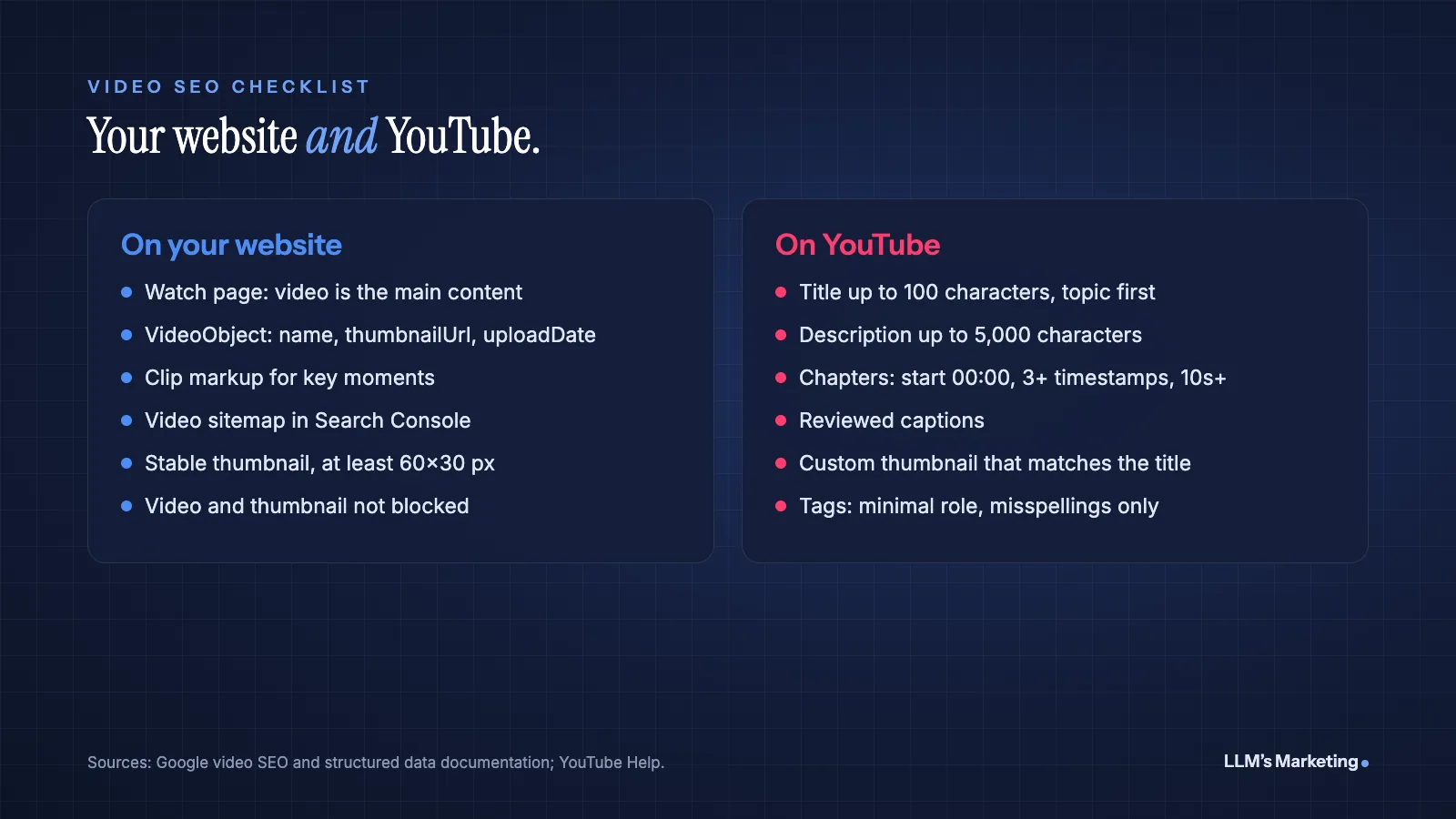
- Titles: YouTube allows up to 100 characters (YouTube Help). Put the main topic near the start, since longer titles may be cut off in search results and suggestions.
- Descriptions: Up to 5,000 characters. Summarize the video in the first two lines, then add detail, links and timestamps.
- Tags: YouTube says tags "play a minimal role in your video's discovery" and are mainly useful for commonly misspelled topics (YouTube Help). Do not spend much time on them.
- Chapters: Add timestamps in the description. YouTube requires the first to start at 00:00, at least three timestamps in ascending order and chapters of at least 10 seconds (YouTube Help).
- Thumbnails: A custom thumbnail that shows the subject clearly and matches the title. Misleading thumbnails cost trust and watch time.
- Captions: YouTube creates automatic captions with speech recognition, but only in the video's default language (YouTube Help). Review them for accuracy, especially names and technical terms, or upload your own caption file.
Captions and Transcripts
Search engines and AI systems cannot reliably watch your video, but they can read text. A transcript on the watch page puts the spoken content in the HTML, where Google and AI assistants can read and quote it, and it serves visitors who prefer to skim or cannot play sound. Captions make videos accessible to deaf and hard-of-hearing viewers and to anyone watching muted. Edit both for accuracy before publishing.
Video in AI Search
AI answers increasingly sit above the links. Google says there are no special requirements to appear in AI Overviews or AI Mode beyond standard SEO best practices, and other assistants draw on content they can find and read. For video, that means the text around it matters: a clear title, a description that answers the question directly, a transcript and chapter labels that describe each section. Our guides to GEO vs SEO and getting recommended by ChatGPT explain the wider approach, and if your audience is on X, our Grok SEO guide covers how Grok searches posts, including video posts.
Promote and Measure Your Videos
- Promote: Share videos in email, on social media and in relevant communities, and link to watch pages from related pages on your site. Our guide on how to use AI for social media covers repurposing one video into many posts.
- Search Console: The Video indexing report shows how many watch pages have an indexed video and why others were not indexed. The Performance report can be filtered by Video search appearance.
- YouTube Analytics: Watch time, audience retention, traffic sources and the search terms that lead to your videos.
- Business results: Track leads, sign-ups or sales from visitors who watched, not only views.
Common Video SEO Mistakes
- Expecting video thumbnails for embedded videos. If the video supports an article, Google will not show it as a video result.
- Several equal videos on one page. Category pages with many videos of equal prominence do not qualify as watch pages.
- Blocking the video or thumbnail file. Robots.txt rules or login walls stop Google from fetching them.
- Markup that does not match the video. Structured data must describe what is actually on the page.
- Relying on automatic captions. Unreviewed captions often get names and terms wrong.
- Heavy video embeds above the fold. Large players and autoplaying embeds can slow loading and shift layouts; see our Core Web Vitals guide for fixes.
- Keyword stuffing titles and descriptions. It reads badly and breaks Google's spam policies.
Frequently Asked Questions
What is video SEO?
Video SEO is the practice of optimizing videos so they appear in Google Search, Google's Video mode, YouTube and AI answers. It includes dedicated watch pages, VideoObject structured data, video sitemaps, clear thumbnails, descriptive titles and descriptions, captions, transcripts and chapters.
Why is my embedded video not showing in Google?
Since 2023, Google shows video thumbnails only when the video is the main content of the page. Videos embedded in blog posts, product pages or category pages with several videos are treated as supplementary and appear in Search Console as "Video is not the main content of the page." Create a dedicated watch page for videos you want to appear as video results.
What structured data do videos need?
Google requires VideoObject markup with name, thumbnailUrl and uploadDate, and recommends description, duration and contentUrl or embedUrl. Clip or SeekToAction markup can add key moments, and BroadcastEvent markup supports a LIVE badge for streams.
Do YouTube tags help SEO?
Very little. YouTube says tags play a minimal role in discovery and are mainly useful for commonly misspelled topics. Titles, thumbnails, descriptions and how viewers respond matter much more.
Should I host videos on YouTube or my own website?
It depends on the goal. YouTube is best for reach and discovery. A dedicated watch page on your own site is best when you want Google video results to send visitors to your site. Many brands do both, publishing on YouTube and giving their most important videos a watch page.
Where to Start
List your five most important videos and decide, for each, whether it should rank on YouTube, on a watch page on your site, or both. Build watch pages for the ones that should bring search traffic, add VideoObject and Clip markup, submit a video sitemap and check the Video indexing report in Search Console after a few weeks. Then tidy up YouTube titles, descriptions, chapters and captions. For the wider SEO foundations, see our guide on how to SEO a website.
If you would like help, book a free call, reach us through the contact page or send your details below. Our founder, Mohd Adil Kazmi, will review how your videos appear in Google, YouTube and AI answers and reply with the first fixes worth making. You can also explore our AI SEO and content service or all services.
Are your videos showing up in Google and YouTube?
Send your website and I'll review your Google Business Profile, service pages and AI visibility, then reply personally with the first fixes I would make.