
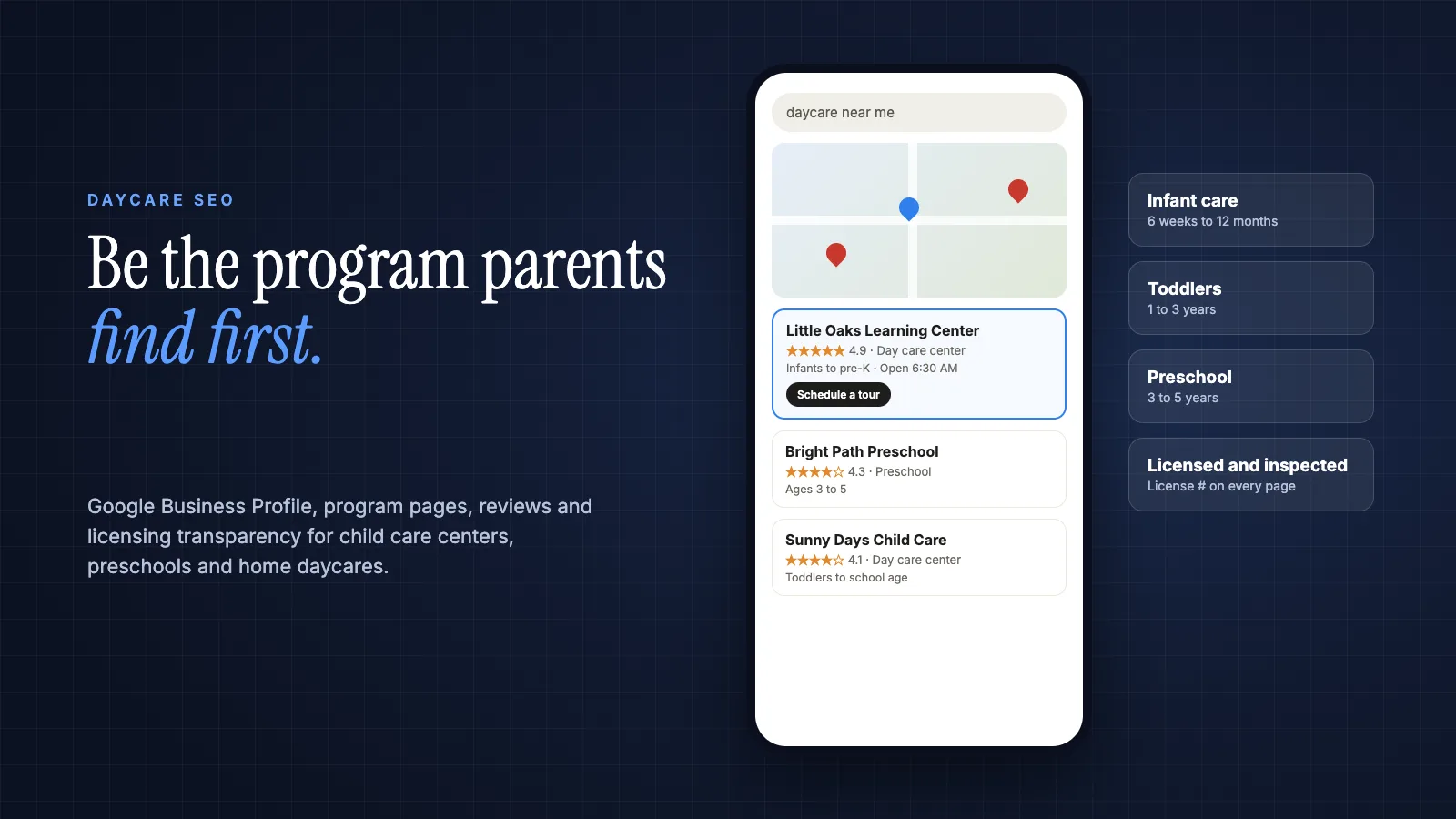
When a parent needs child care, the search usually starts on a phone, often late at night, with three words: "daycare near me." What they see in the next ten seconds (a map with three centers, star ratings, a few photos, maybe an AI summary) decides which programs get a tour request and which never hear from that family.
Daycare SEO is the work of making a child care center, preschool or home daycare show up when local parents search for care, and then giving those parents enough trust to book a tour. For most programs it comes down to five things: a complete Google Business Profile, a mobile-friendly website with a page for each age group you serve, steady genuine reviews from parents, visible licensing and safety information, and a simple way to request a tour.
This guide walks through each of those in order of impact, with real search data, Google's own rules and a 90-day plan you can run without a marketing team. It works for child care centers, preschools and licensed home daycares.
How Parents Search for Child Care
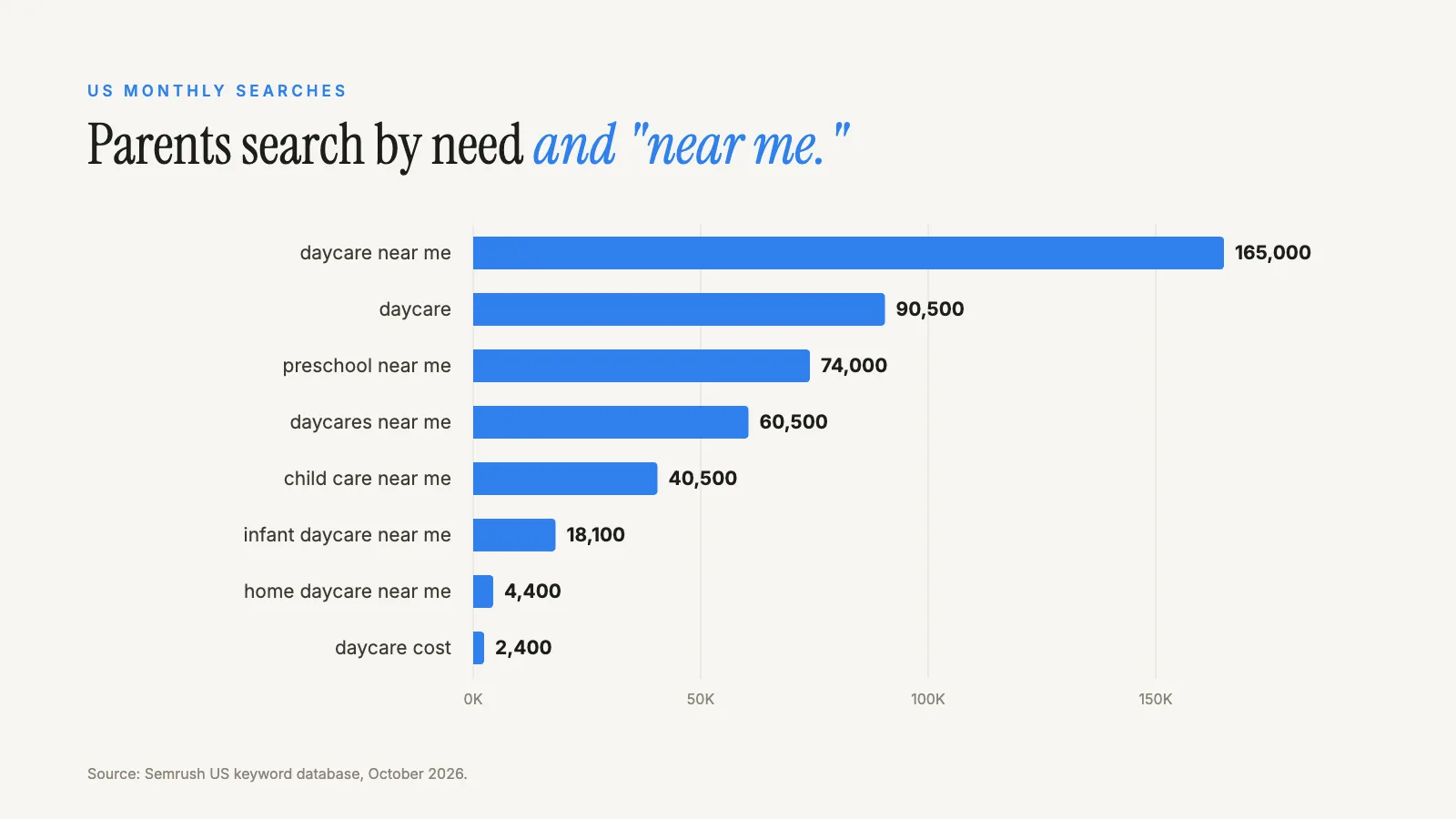
Parents rarely search for a program by name until they have already heard of it. They search by need, and the need almost always includes "near me." Here is what that demand looks like across the US, from the Semrush US keyword database in October 2026:
| Search | US monthly searches | What the parent wants |
|---|---|---|
| daycare near me | 165,000 | Any nearby option, comparing quickly |
| daycare | 90,500 | Mixed: research, nearby options, definitions |
| preschool near me | 74,000 | Programs for 3 to 5 year olds |
| daycares near me | 60,500 | A list to compare |
| child care near me | 40,500 | Nearby care, often broader than centers |
| infant daycare near me | 18,100 | Care for babies, often with urgency and limited openings |
| home daycare near me | 4,400 | A smaller, home-based setting |
| daycare cost | 2,400 | Pricing research before contacting anyone |
What this means for your program
Two patterns matter. First, nearly all of this demand is local, which means the map pack (the three businesses shown with a map) is where most families make their first shortlist. Second, parents search by age group. A program with a dedicated infant page has a much better chance of matching "infant daycare near me" than one with a single "Programs" page listing every age.
Start With Your Google Business Profile
Your Google Business Profile (the listing formerly called Google My Business) is the single most important piece of daycare SEO. It controls what appears in the map pack and on Google Maps, and it is often the first thing a parent sees.
Google says local results are based mainly on relevance, distance and prominence, and that there is no way to pay for a better local ranking. You cannot change your distance from a parent, so focus on the other two.
Profile basics that move the needle
Categories
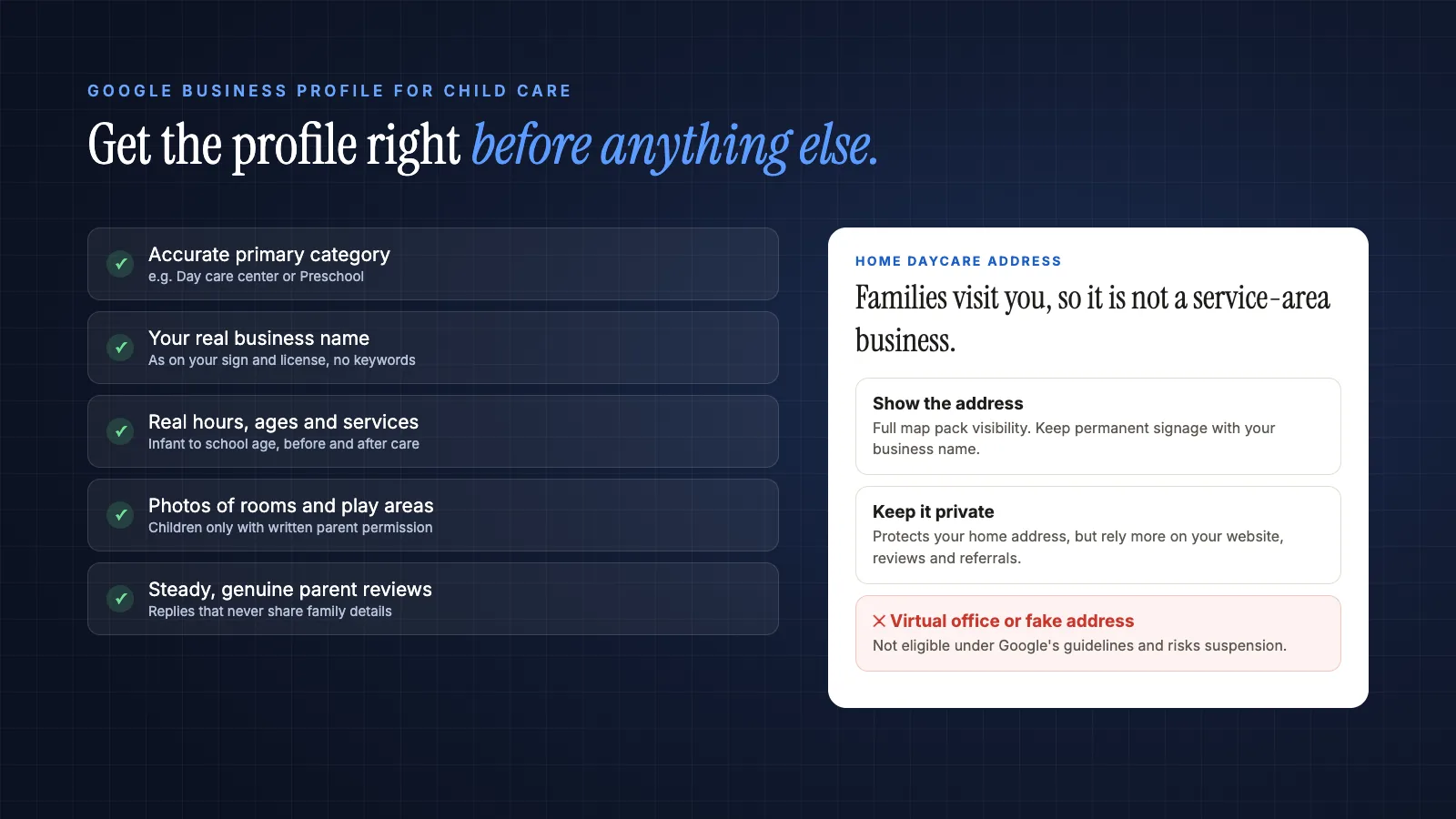
Choose the primary category that best describes your program, such as "Day care center" or "Preschool," and add accurate secondary categories. Categories help Google understand which searches your profile is relevant to, which is the relevance part of local ranking.
Hours, ages and services
List your real operating hours, the age range you serve, and services such as before and after school care, summer programs or meals. Parents filter quickly, and incomplete profiles lose the comparison.
Photos
Show classrooms, outdoor play areas, entrances and staff. Parents want to see where their child will spend the day. Only use photos of children with written permission from their parents, and when in doubt, photograph spaces and activities rather than faces.
Your real business name
Use the name on your sign and license. Google's guidelines say your name should reflect your real-world business name, and adding keywords like "Best Daycare Near Downtown" to the name risks suspension.
The home daycare address question
Home daycares face a real dilemma: parents come to your home, but you may not want your address published. Google's guidelines separate businesses that serve customers at their location from service-area businesses, which should hide their address. A daycare is not a service-area business, because families come to you. Google also says businesses that show their address should maintain permanent signage of their business name at that address.
In practice, that leaves a licensed home daycare with a choice: show the address with appropriate signage and get full map pack visibility, or keep the address private and rely more on your website, reviews and referrals. There is no compliant shortcut, such as listing a virtual office, that gets you both.
Build a Website Parents Can Actually Use
Most parents will view your website on a phone, and so does Google. Google says it uses the mobile version of a site's content for indexing and ranking. If your site is slow, hard to tap through or hides the tour button, both parents and search engines notice.
Pages every child care website needs
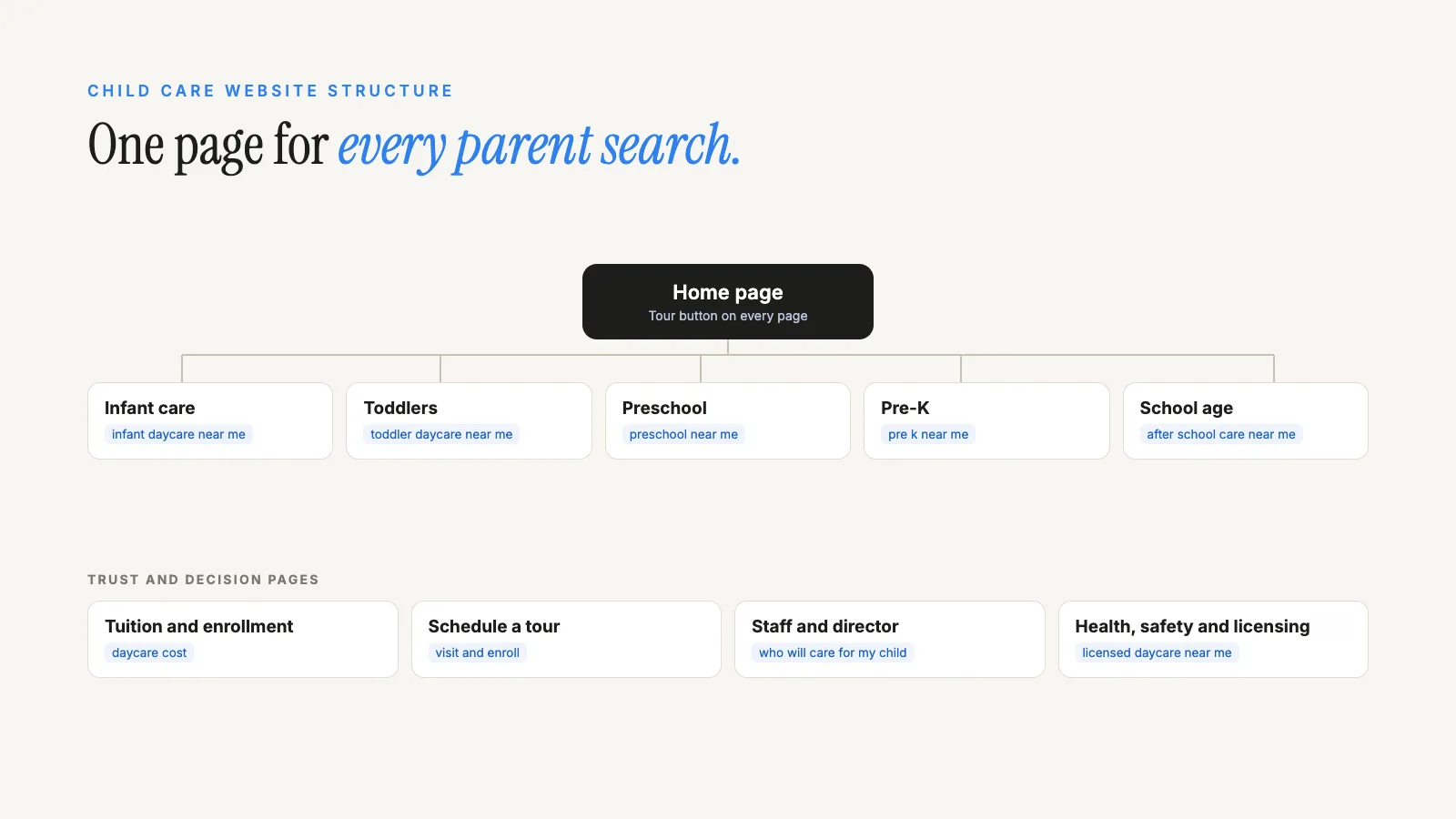
- A page for each age group: infants, toddlers, preschool, pre-K and school age, each describing the daily routine, ratios, curriculum approach and what parents should bring.
- Tuition and enrollment: parents search "daycare cost" before they call. If you cannot publish exact rates, explain what is included, how fees work and whether you accept state child care assistance.
- Schedule a tour: a short form and phone number on every page, not buried in a contact page.
- About and staff: your director, teachers, their qualifications and how long they have been with you.
- Health, safety and licensing: your license number, safety practices, pickup procedures and illness policy.
- Parent questions: answers to what families ask on every tour, such as meals, naps, potty training and communication.
Write for parents, not search engines
Mention your town and neighborhoods naturally, the way you would describe your location to a family, rather than repeating "daycare in [city]" in every sentence. Specific details (a fenced garden, a ratio of one teacher to four infants, a pickup window that works for hospital shift workers) persuade parents and give search engines and AI assistants something concrete to match.
Technical basics
Keep pages fast, make phone numbers tappable, use descriptive page titles such as "Infant Care in Riverside | Little Oaks Learning Center," and add descriptive alt text to photos. You can also add structured data: schema.org includes a ChildCare type, a kind of local business, that lets you describe your name, address, hours and contact details in a machine-readable way. Our guide to schema and entity optimization explains how this helps search engines and AI tools understand your program.
Make Licensing and Safety Visible
This is the part most daycare marketing advice misses. Childcare.gov explains that federal law requires states and territories to post child care monitoring and inspection reports online, including visit dates, any violations and the actions taken to correct them. Many careful parents look these up before a tour.
Rather than hoping families do not check, get ahead of it. Publish your license number, link to your state's licensing lookup, and if a past inspection noted an issue, explain briefly what you changed. Transparency builds the trust that turns a search into a tour, and consistent, verifiable facts are exactly what AI assistants look for when they summarize local options.
Reviews That Parents Trust
Reviews help show how well-known and trusted your program is, which feeds the prominence part of local ranking, and they are one of the first things parents read. The best review programs are simple and steady.
- Ask at natural moments: after a positive conference, a child's milestone or the end of the school year.
- Send a direct link to your Google review form by text or email so it takes one tap.
- Reply to every review, thanking parents without sharing details about any child or family.
- Respond to negative reviews calmly and offer to talk offline.
Never buy reviews, write them yourself or offer discounts only for positive ones. The FTC's rule on consumer reviews, effective October 21, 2024, prohibits fake reviews and buying reviews conditioned on their sentiment. Our guide to SEO for gyms includes a review request routine that adapts well to child care.
Get Found in AI Answers
Some parents now ask ChatGPT, Gemini or Google's AI Mode questions like "what should I look for in an infant daycare?" or "which preschools near me have outdoor play?" Google says there are no special requirements to appear in AI Overviews or AI Mode beyond normal SEO best practice. The same profile, pages, reviews and licensing information that help your map pack ranking also make your program easier for AI tools to describe accurately.
Our guides on showing up in ChatGPT, Perplexity and Gemini and on generative engine optimization for dentists, another local practice where trust decides the choice, go deeper on how to measure this.
Turn Searches Into Tours and Enrollments
Rankings only matter if parents book tours. Three habits make the biggest difference.
Respond fast
A parent who submits a tour request at 10 p.m. may contact three programs that night. Replying the same evening, even with an automated message offering tour times, keeps you in the running. Our AI lead agents can answer common questions and offer tour slots around the clock.
Follow up and manage waitlists
Many families tour months before they need care. A short email sequence after the tour, and regular updates to waitlisted families, turns interest into enrollment. Our email marketing and marketing automation services set these up.
Track what works
Ask every family "how did you hear about us?" and note it. Check your Google Business Profile insights for calls and direction requests, and use Google Search Console to see which searches bring visitors to your website.
A 90-Day Daycare SEO Plan
Days 1 to 30: foundation
Claim and complete your Google Business Profile, correct your name, hours and categories, add 15 to 20 good photos, and make sure your website works well on a phone with a visible tour button.
Days 31 to 60: pages
Build or improve a page for each age group, a tuition and enrollment page, and a health, safety and licensing page. Start a simple review request routine.
Days 61 to 90: trust and tracking
Add a parent FAQ page, set up tour request tracking, reply to every review and ask local partners (pediatricians, family organizations, community groups) whether they keep resource lists your program belongs on.
Daycare SEO Mistakes to Avoid
One page for every program
A single "Programs" page rarely ranks for infant, toddler or preschool searches. Give each age group its own page.
Hiding the tour button
If a parent has to hunt for how to book a visit, many will not. Put it on every page.
Stock photos instead of your rooms
Parents can tell. Real, permission-cleared photos of your spaces build far more trust.
Fake locations and keyword-stuffed names
Virtual offices and names like "Best Infant Daycare Downtown" break Google's rules and can get your profile suspended. Our guide to local SEO without a storefront explains why these shortcuts backfire.
Paying for ads before the basics
Ads can fill openings quickly, but they work much better once your profile and pages are in place. Our comparison of Google Ads vs SEO for dentists walks through the same decision for another local practice.
Frequently Asked Questions
What is daycare SEO?
Daycare SEO is the process of helping a child care center, preschool or home daycare appear when local parents search for care on Google, Google Maps and AI assistants. It covers the Google Business Profile, website pages for each age group, reviews, licensing information and making it easy to book a tour.
How long does SEO take for a daycare?
Google Business Profile improvements can show within weeks. New website pages and reviews usually take a few months to build visibility, and competitive cities take longer than small towns. Track tour requests and calls, not just rankings, to judge progress.
Should a home daycare show its address on Google?
Families visit a home daycare, so it is not a service-area business under Google's guidelines. Showing the address, with permanent signage, gives full map visibility. Keeping it private protects your home address but limits map pack visibility. Choose based on your comfort and your state's rules, and never use a fake address.
Do I need a website if I have a Google Business Profile?
Yes, if you want consistent enrollment. The profile gets you found, but parents use your website to understand programs, tuition, safety and staff before they book a tour. Pages for each age group also help you appear for more specific searches.
Can I use photos of children on my website?
Only with written permission from each child's parent or guardian, and check any rules from your state licensing agency. Many programs focus on classrooms, play areas, hands and activities rather than faces, which reassures privacy-minded parents too.
Where to Start
If you do one thing this week, open your Google Business Profile and fix the basics: name, category, hours, ages and photos. Then give each age group its own page and put a tour button everywhere. Those steps alone put most programs ahead of nearby competitors who have not touched their listings in years.
If you would like a second set of eyes, book a free call, reach us through the contact page or send your details below. Our founder, Mohd Adil Kazmi, will review your profile, website and AI visibility and reply with the first fixes worth making. You can also explore our AI SEO and content service, AI search visibility, all services, case studies or the industries we work with.
Are local parents finding your program?
Send your program's website and I'll review your Google Business Profile, program pages and AI visibility, then reply personally with the first fixes I would make.